Cross Runs and Campaigns
Cross Runs
A Cross Run is a collection of runs that can be compared and analyzed together, enabling you to evaluate results across multiple experiments.
Run Selection
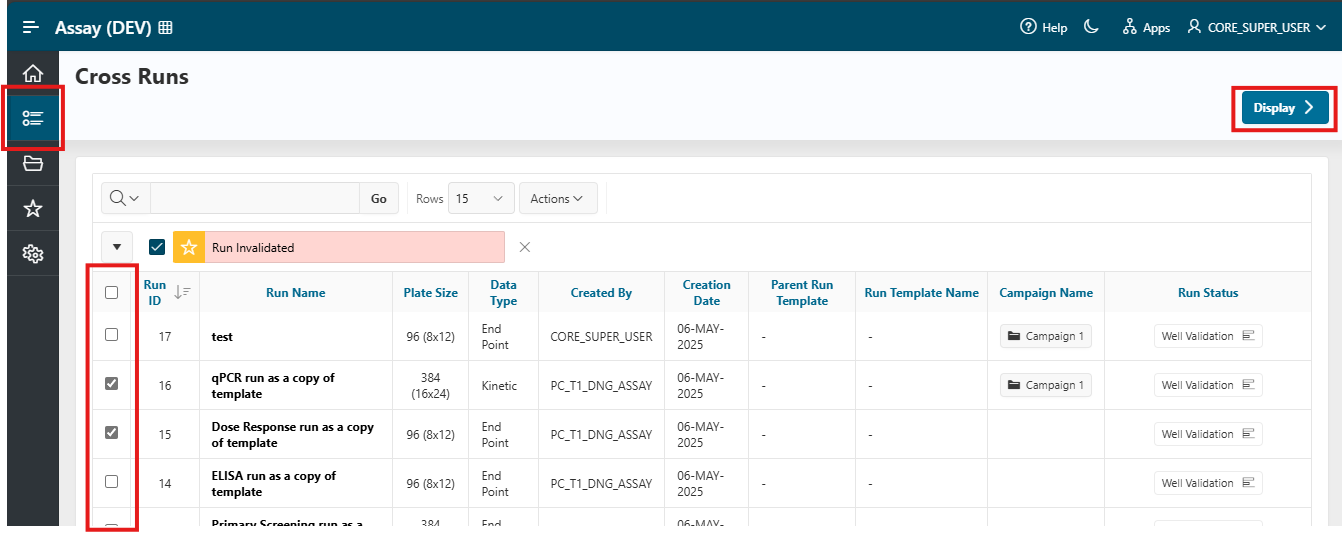
- Access the
Cross Runspage using the navigation menu on the left side of the screen. - Select the runs you wish to compare by checking the corresponding boxes, then click the
Displaybutton.
Visualization
- You will be redirected to the visualization page, where the results of the selected runs are displayed.
- On this page, you can invalidate specific runs if necessary.
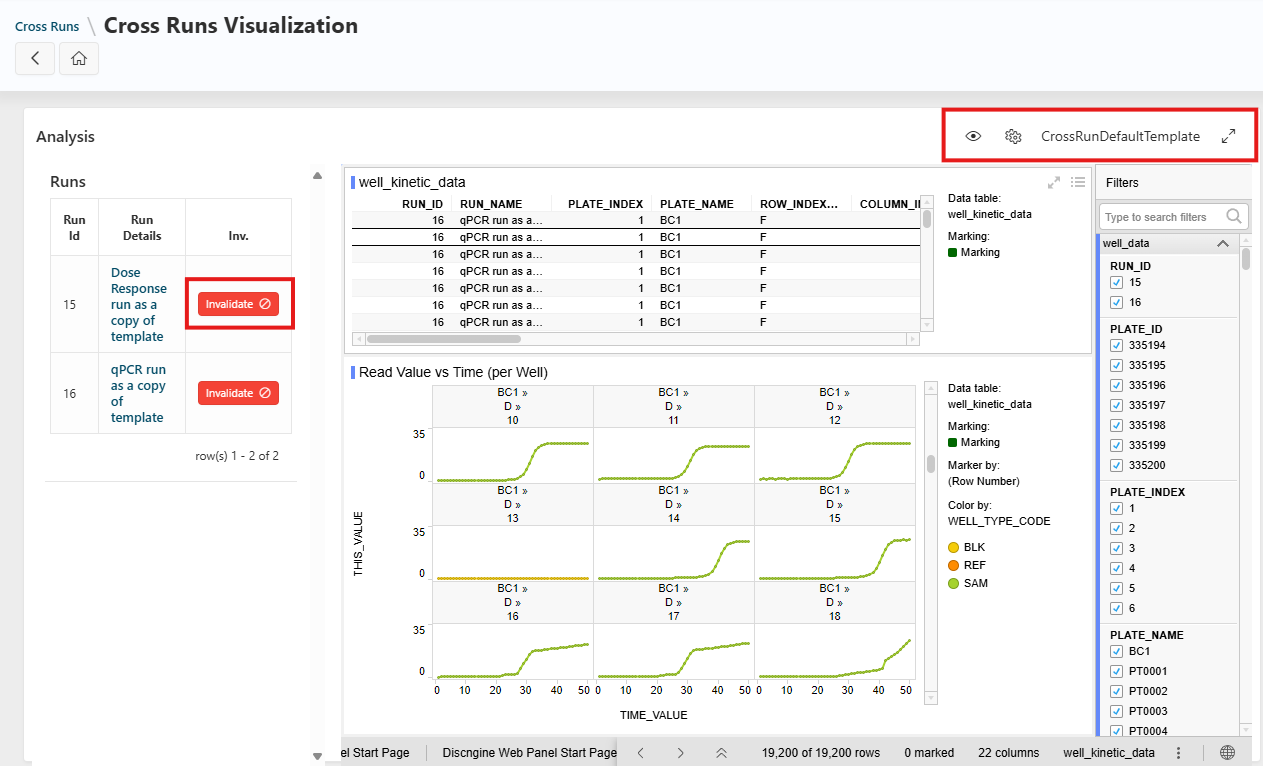
Additional options include:
- Hide the left panel (using the
Eyeicon) - Change the template (using the
Gearsicon) - Switch to fullscreen mode (using the
Arrowicon)
For more details, see the How To: Visualize My Data and Change Template guide.
Info
If you have the appropriate permissions, you can learn how to create a cross runs template in the Administration: Create or Update a Spotfire Template guide.
Campaigns
A Campaign is a group of runs intended to be executed and analyzed together.
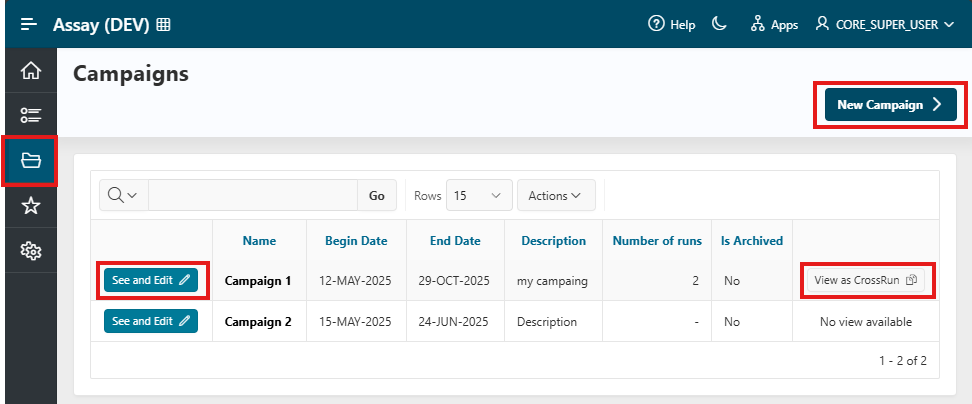
To access the Campaigns page, click the Folder icon in the navigation menu.
On this page, you can:
- Create a new campaign
- Edit an existing campaign
- View the runs associated with a campaign as a cross run
Create a Campaign
Create a new campaign by clicking the New Campaign button, then provide the following information:
- Campaign Name: The name of your campaign
- Description: An optional description
- Begin Date: The campaign start date (optional)
- End Date: The campaign end date (optional)
Info
If Campaign Security is enabled, you must also select the users who will have access to the runs associated with the campaign.
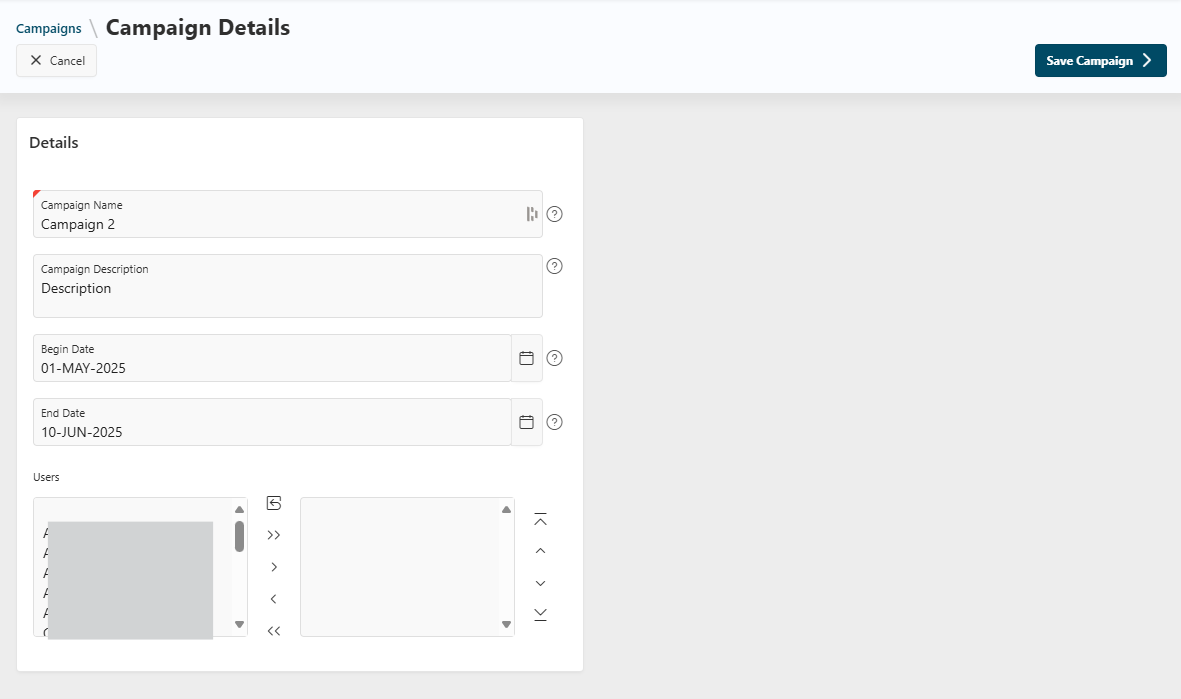
Click the Save Campaign button to create your campaign.
See and Edit a Campaign
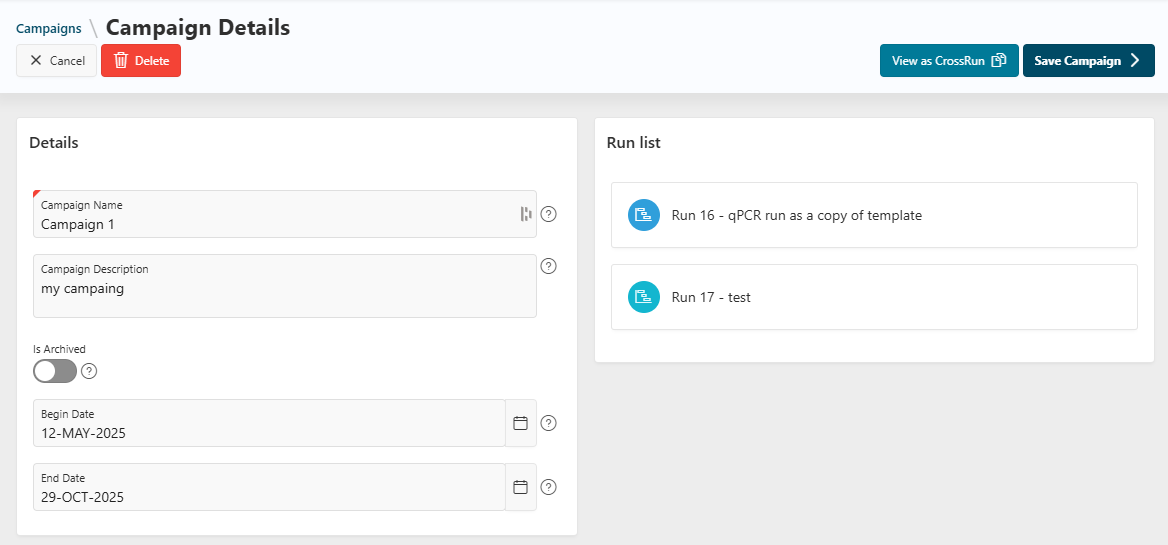
From the Campaigns page, view campaign details by clicking the See and Edit button.
- If authorized, you can update all campaign information and archive the campaign.
- You can also view all runs associated with the campaign.
Associate a Run with a Campaign
When creating or updating a run, you can associate it with a campaign by selecting the desired campaign from the list.
View as Cross Run
Use the View as cross run button to be redirected to the cross run page, where you can analyze the results of all runs associated with the campaign.