Raw Data Files
In this step, the data loaded from the previous step are displayed. You can also update how the plates are read.
Number of Measurements
Info
This section is relevant only if you have multiple reads per plate on the same instrument. If not, proceed to the next section.
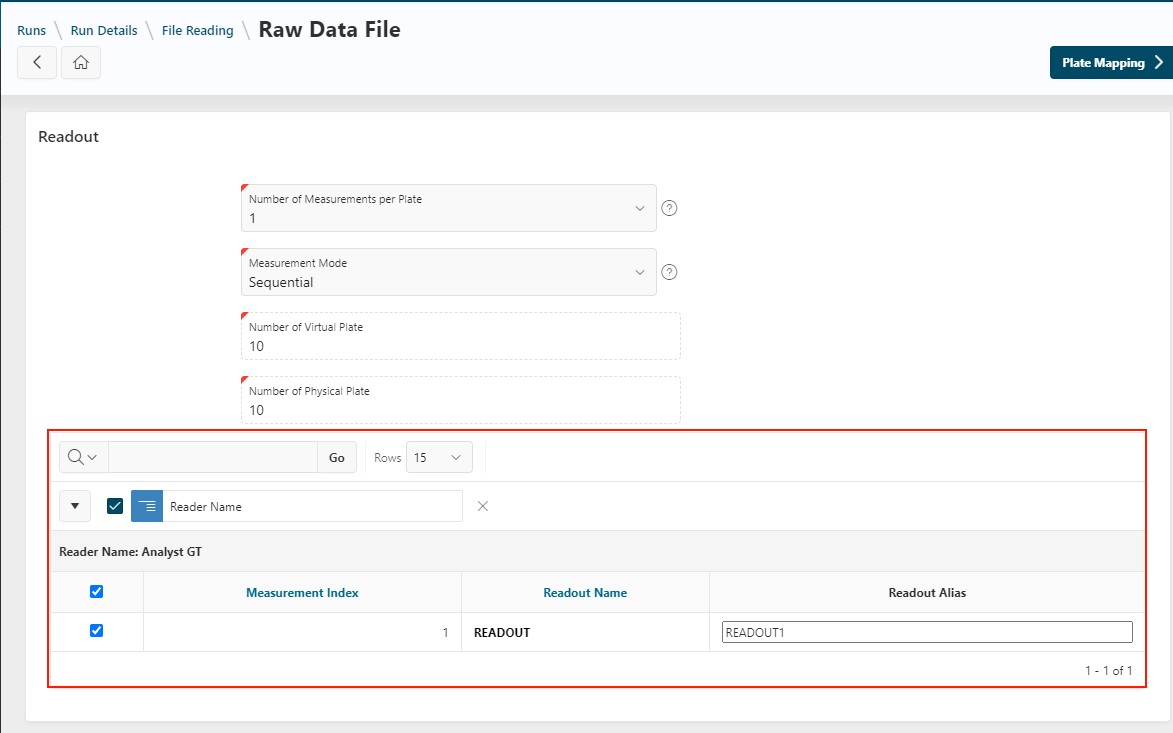
The way plates are read is defined here:
- Number of Virtual Plates: Fixed value representing the total number of measurements in your run.
- Number of Measurements per Plate: Number of times each plate is read by your instrument.
- Number of Physical Plates: Calculated as:
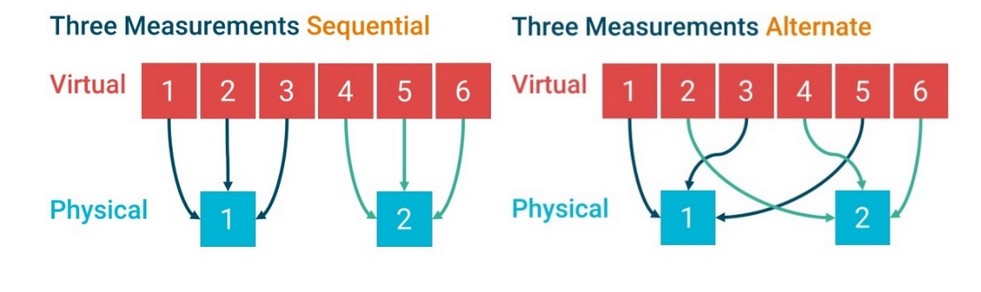
- Measurement Mode: Defines how plates are read:
Sequential: All measurements are performed successively, one plate after another.Alternate: The same measurement is performed for all plates, then the next measurement for all plates, and so on.
See the schema below for the difference between Sequential and Alternate reading (example: 6 virtual plates, 2 physical plates):
Readout Alias and Selection
After configuring measurements, you can update the list of readouts. A measurement may contain multiple readouts, as robotic equipment can extract several data points per file.
Once the number of measurements per plate is set, you can customize the readout alias.
Info
Readout names can be read directly from the files. In that case, the alias matches the column name. Otherwise, readouts are named READOUT1, READOUT2, etc.
If you do not want to analyze certain readouts, you can unselect them in the report. They will not appear in your analysis.
Click Plate Mapping to continue to the next step.
Other Actions on the Page
Adding readout transformation is deprecated. For information on how to use them, see the Readout Transformations documentation.
Next Step
Next
 Continue the design of the run by going to the next step: Plate Mapping