Application Navigation
Left Navigation Panel
For ease of use, Assay features are organized into distinct navigation tabs, which are always accessible on the left side of the application.
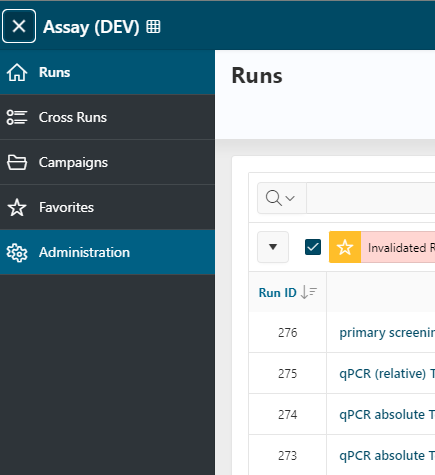
Runs
The Runs tab serves as the home page for managing your analyses. Here, you can:
- Create a new run
- Browse your completed and ongoing analyses
Click the Home button to return to this page at any time.
Cross Runs
The Cross Runs tab allows you to visualize and compare data from multiple runs simultaneously. For example, you can compare control wells across several runs.
Campaigns
Access the Campaigns page to:
- Browse and edit your campaigns (including associated runs, members, etc.)
- Note: If campaign security is enabled, this tab may not be visible to all users.
Search
Access the Search page to:
- Search runs associated to a specific list of sample names or sample alias.
Favorites
The Favorites tab lets you browse all assay elements that can be added as favorites.
- Each user can set their own favorites for quick access within the application.
Administration
Use the Administration tab to configure the application and manage customizable elements (such as Readers, Layouts, Normalizations, etc.).
- Only certain sections of
Administrationare accessible without administrator privileges.
Top Bar
The top bar, which displays the application name, behaves consistently throughout the application. For more details, see Homepage and navigation documentation.