Generic Reader
The Generic Reader is an interactive tool that allows you to import your own delimited text files (txt, csv, xlsx, etc.) without any development required. It is a powerful feature for reading any delimited text file in the application, regardless of format.
All relevant information for your run can be extracted from the file simultaneously.
In Execution Mode, if the file format remains unchanged, this page will be automatically skipped for screeners.
Required Information
Certain information is mandatory in your file for the generic reader to function correctly:
- Plate identification (Index and/or Name)
- Well position (Row and Column or Well Index)
- At least one readout
Optional information that can be included:
- Sample information:
Sample Name, Dose, Dose Unit, Sample Alias, Barcode Source, Replicate IndexSample Nameis required if any other sample information is mapped
- Molecular Weight
- Experimental Conditions (e.g., cell line, pathogen, etc.)
Info
On the generic reader page, click Experimental Conditions at the top left to add experimental conditions to your run. See the Create a New Experimental Condition documentation for details.
Add a Reader
Following the File Reading documentation, select the Generic Reader from the dropdown list and add your files.
Info
You can add one or more files at a time, but they must have the same format.
Click Interactive Reader to open the generic reader interface.
Mapping
Info
A help text at the top of the page will guide you in using the generic reader.
The generic reader interface displays the information extracted from one of your files and how it will be interpreted by the application.
- The delimiter is detected automatically.
- The sample file reading is updated automatically as you map information.
Other mapping features:
- Specify any lines to skip at the top or bottom of the file on the right side of the page.
- A header will simplify the mapping of information in the next step.
- The application will attempt to auto-map the fields, but you can adjust them as necessary.
- Ensure all mandatory information is provided as described above.
- To ignore a column, select "Skip Column".
The generic reader cannot access any information skipped from the beginning or end of the file (e.g., Barcode).
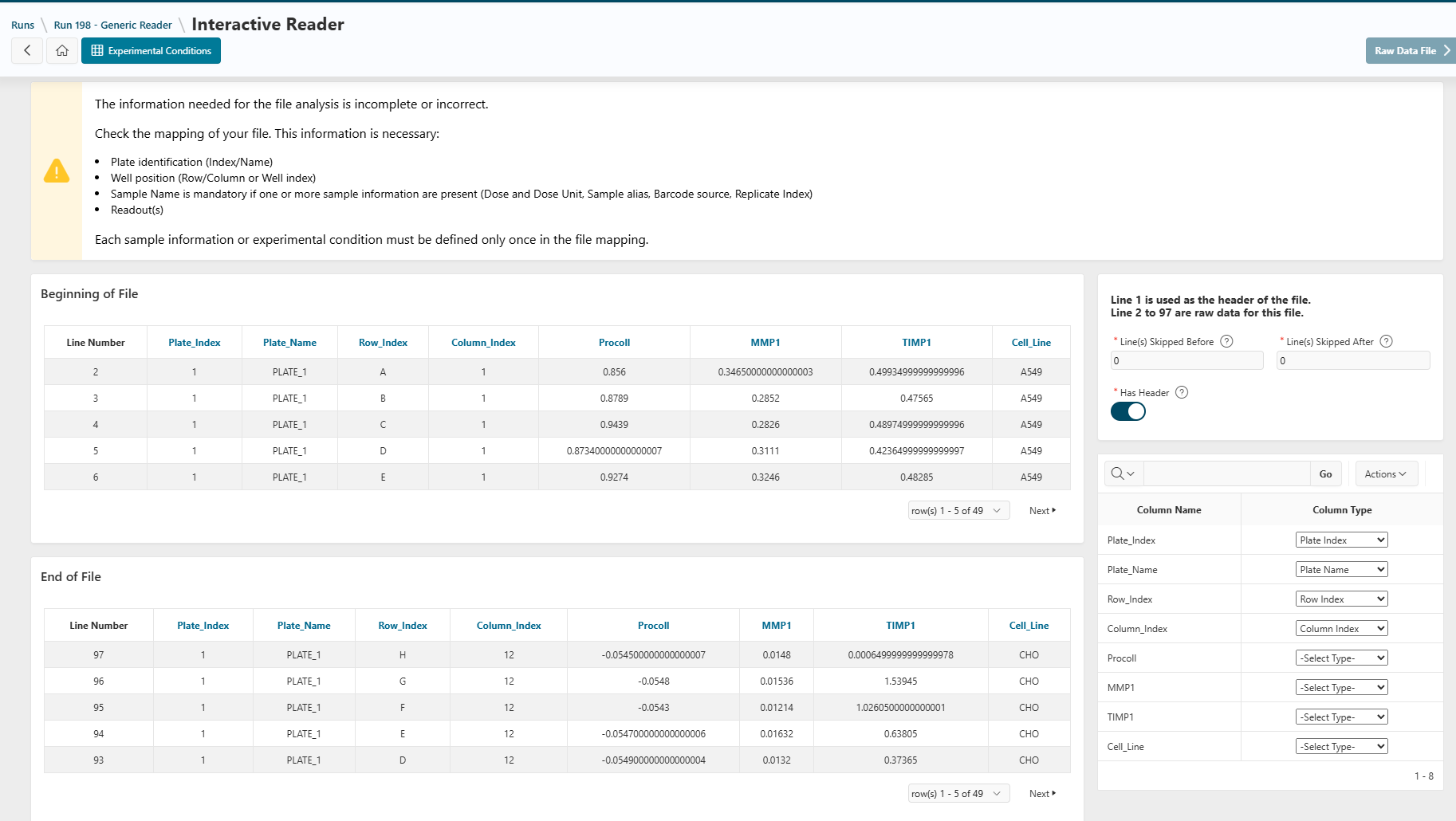
To ensure your file is read correctly, check the following:
- Equipment may add extra lines at the beginning or end of a file.
- Specify any lines to skip at the top or bottom of the file on the right side of the page.
-
Indicate whether your file contains a header line.
- A header will simplify the mapping of information in the next step.
-
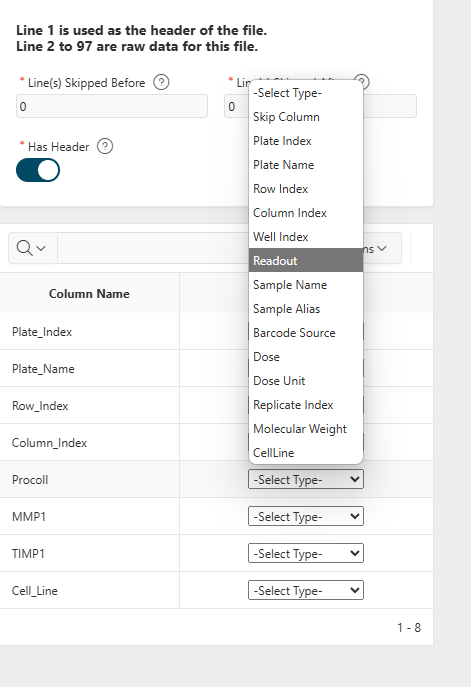
At the bottom right of the page, map each column to the corresponding information.
- The application will attempt to auto-map the fields, but you can adjust them as necessary.
- Ensure all mandatory information is provided as described above.
- To ignore a column, select "Skip Column".
Once all necessary information is provided, the Raw Data Files button will be enabled.
Next Step
Next
 Continue designing the run by proceeding to the next step: Raw Data File
Limitations
- The generic reader cannot process files that are not delimited, such as those displaying information in a plate format.
- If you use the generic reader, you cannot use another reader for the same run simultaneously.
- The generic reader cannot access any information skipped from the beginning or end of the file (e.g., Barcode).