Experimental Condition patterns
Experimental Condition patterns
Experimental Condition patterns allows you to replicate the values of each plate selected to the rest of your plates.
Apply a pattern
When selecting an Experimental condition, the button 'Apply Pattern' will appear:
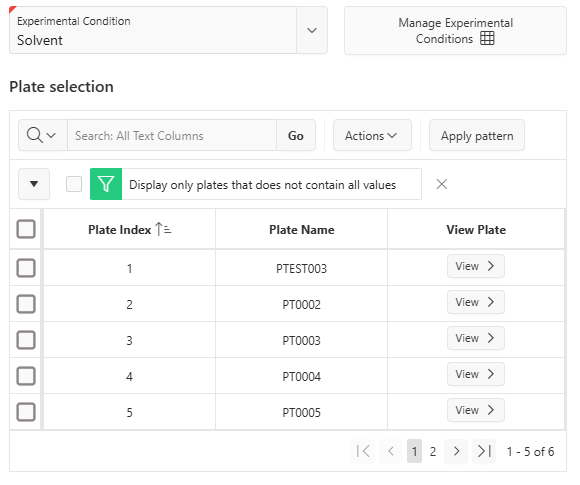
By first filling the values in your plates, you can then select them and replicate this pattern to the rest of your plates. For example, if you want to replicate the values of your first 3 plates to the rest of your plates you can follow these steps:
- Fill the experimental condition values of your 3 plates
- Select the 3 of them
- Click on 'Apply pattern'
The following copy has been applied:
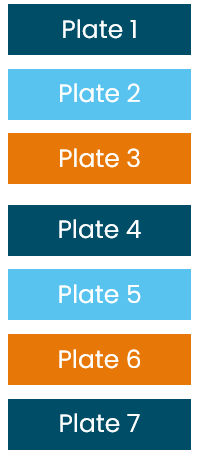
As you can see, the number of plates in your run does not have to be a multiple of the number of plates in your pattern.
However, to apply a pattern:
- The first plate should always be selected
- The plate selection must be continuous (you cannot select the plates 1 and 3 without selecting the second one)