Plate Reformatting
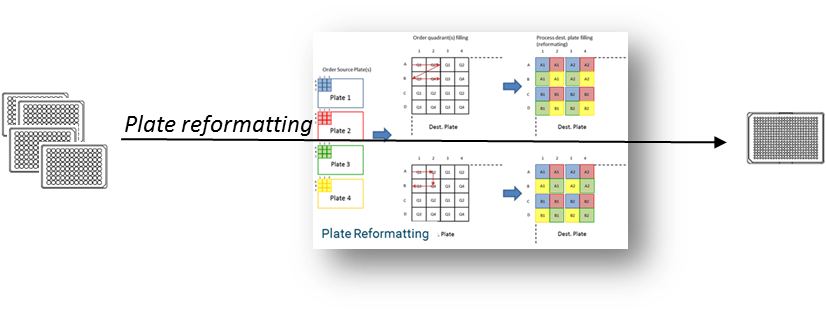
The Plate Reformatting workflow in Sample enables users to change the format of a plate, typically to increase the number of wells and thus the number of samples per plate. For example, you can reformat a 96-well plate into a 384-well or a 384-well into a 1536-well plate, supporting higher throughput and more efficient use of laboratory resources.
With this workflow, you can:
- Consolidate samples from one or more source plates into a new plate with a higher well density.
- Optimize sample distribution for downstream applications such as screening or assays.
- Maintain full traceability of sample transfers and plate transformations within Sample.
Related Tutorials
- Tutorial - Combine Source - Step-by-step guide to combine content from multiple 96-well plates into a 384-well plate using the "Combine Source" option
- Tutorial - Combine Replicates - Step-by-step guide to combine replicates from source plates into target plates