Object Formats
Object formats are used to define matrixes. They are used to define a plate size in Assay and Sample, and optionally location masks in Sample.
An object format is defined by:
- Number of rows
- Number of columns
- Number of stacks
- Is hidden flag
An object format used for a plate size must have a stack equal to 1.
Access Object Formats
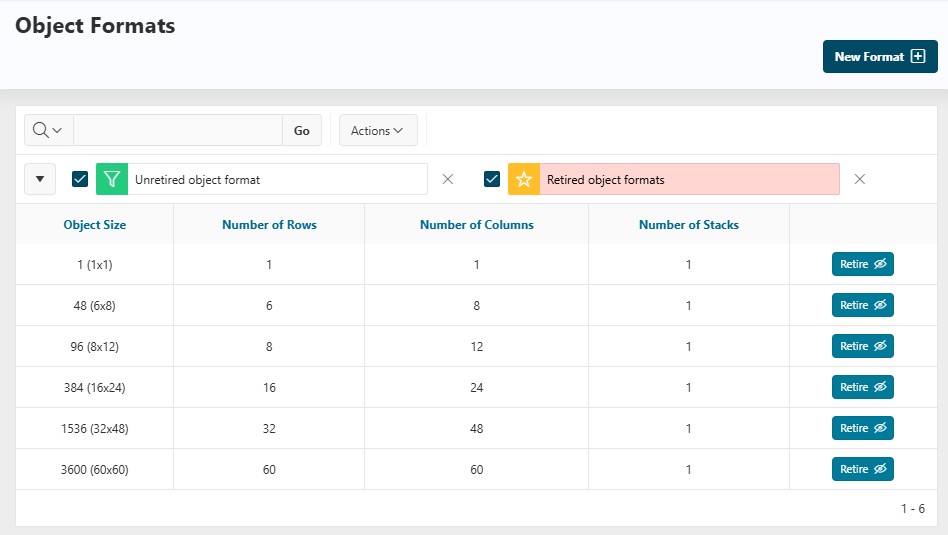
To see all the object formats, go in Reference Data, click on Labware items > Object Formats from the left panel.
On this page, all the object formats created in the application are displayed.
Info
By default, all the object formats listed in the screenshot are installed in the application.
Create a New Object Format
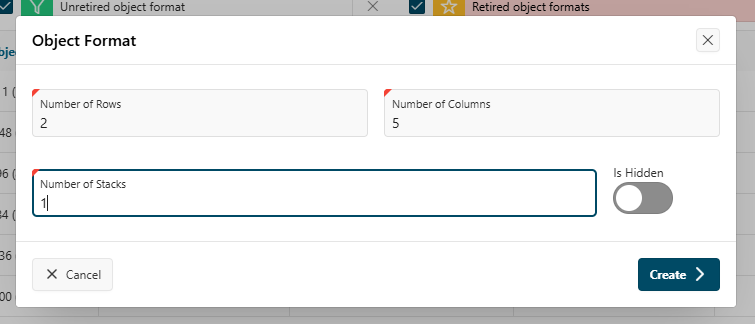
From the object formats list, click the New Format button. A window opens.
- Fill in the form with:
- Number of rows
- Number of columns
- Number of stacks
- Is hidden flag (if checked, the object format will not be displayed in the list of object formats)
- Click the
Createbutton.
Hide or Show an Object Format
To retire or unretire an object format, from the report of all object formats, you can click the Retire or Unretire button at the right of the report.
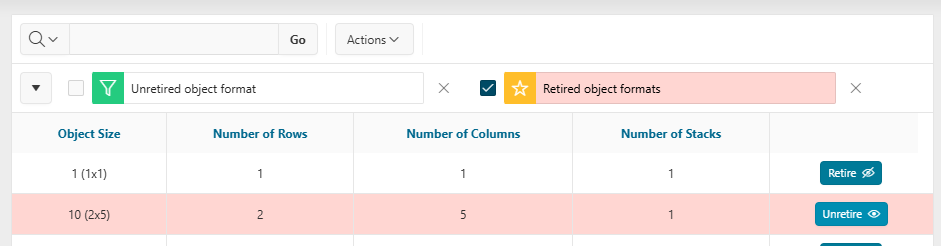
When an object format is retired, it is not available in the list of object formats, to create a new plate for example.