Publish, Close, Save as Template
Info
To publish or close a run, you must have the Assay Publisher role.
The final step of the run is to close or publish the data, as defined in the run template.
From the Run Template
Some information in the run template limits the options for closing or publishing a run:
- If the designer chose to close the run, you can only close it.
- If the designer chose to publish the run, you can close or publish it according to the run template configuration.
Info
When closed or published, the run can be reopened for further modifications.
Close a Run
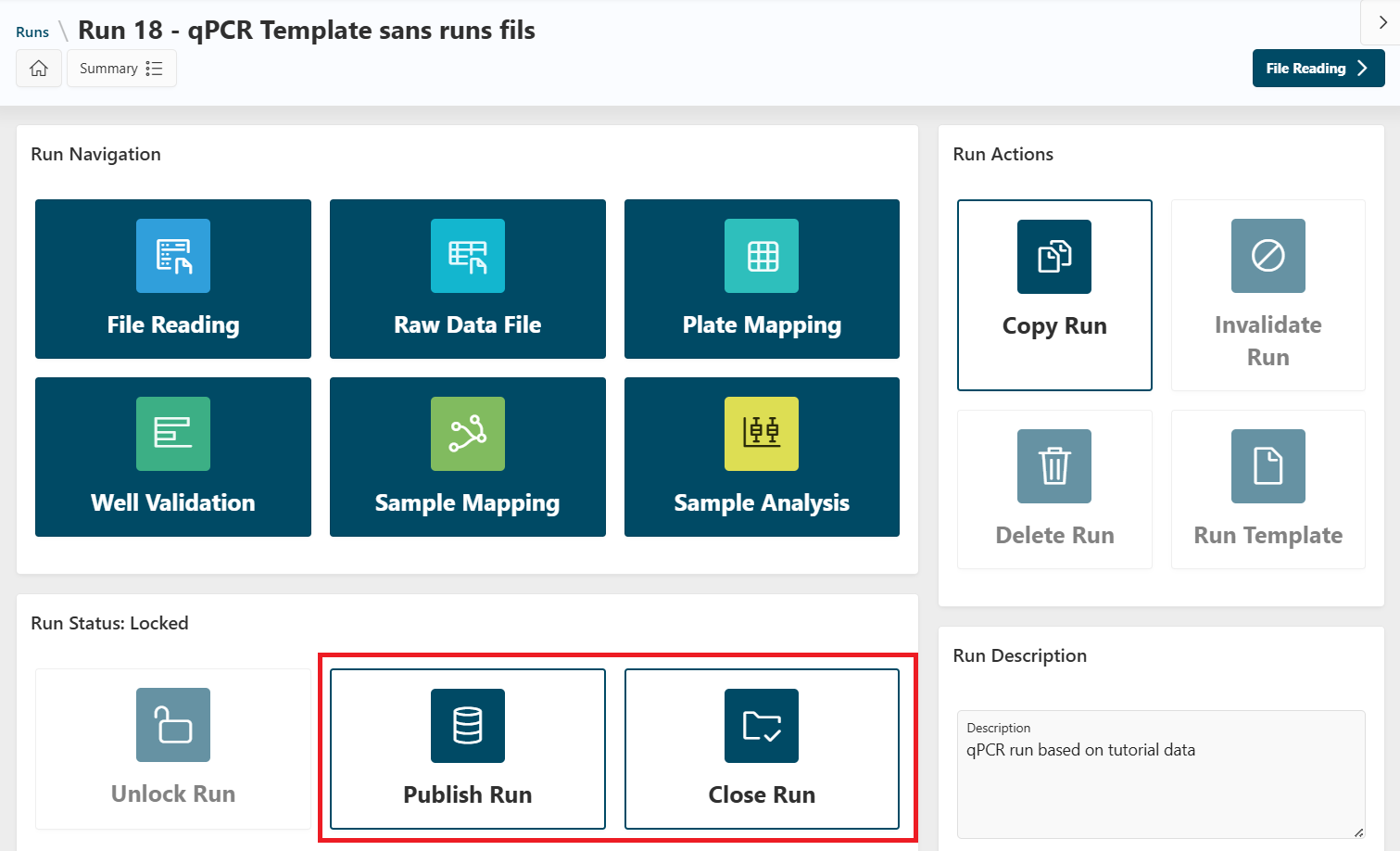
When the run is locked, you can close or publish it:
- From the
Run Detailspage, click theClose Runbutton.
- From the
Sample Analysispage, click theNextbutton, thenClose.
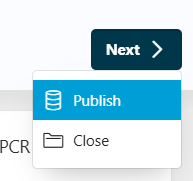
Your run is now closed.
Publication
If the designer selected a publisher, you can access the publication pages from:
- The
Sample Analysispage: click theNextbutton, thenPublish. - The
Run Detailspage: click thePublish Runbutton.
In both cases, you will be redirected to the Publisher pages.
Select Publisher
The selection of the publisher is skipped in Execution Mode, as the publisher is already selected in the run template.
You can access this page using the breadcrumb bar and go back to the Select Publisher page.
Publication Page
The publication page depends on the publisher selected in the run template (for example, Warehouse).
Using Warehouse
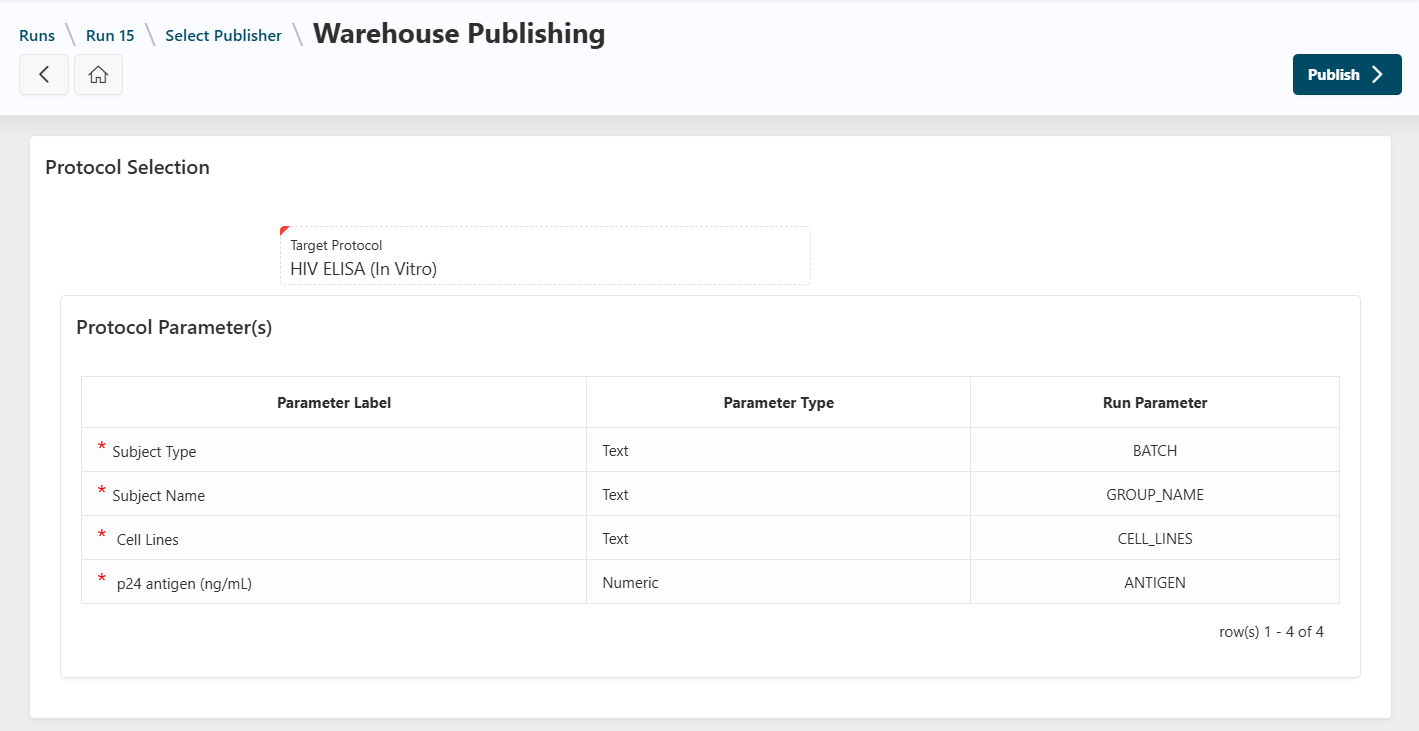
In the Warehouse publisher page, the selected protocols and parameters will be automatically displayed and filled in.
- Click the
Publishbutton to publish your run into Warehouse using the selected protocol and parameters.
Info
You can unpublish a run published in Warehouse. Go back to the Publishing page, and click the Unpublish button. The run will be unpublished, and the data will be removed from Warehouse.
Other Actions
Reopen a Run
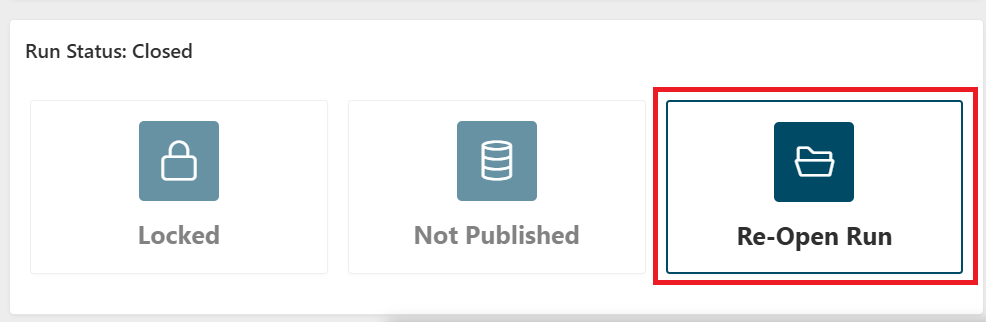
If the run has been closed you can reopen it, for example, to update some of the data in the run.
To reopen your run, go to the Run Details page, and click the Reopen Run button.
Next
Congratulations! You have successfully finished the execution of your run. You can follow any Tutorials to learn more.