Plate Mapping
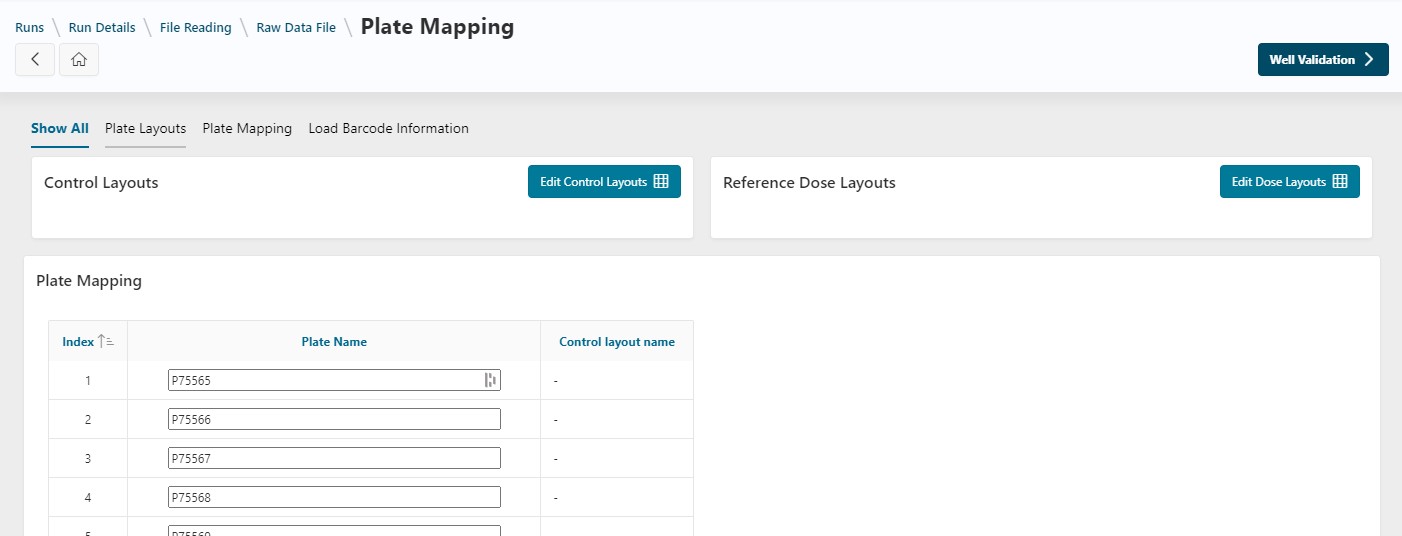
In this step, you will define how your plates are organized by selecting and specifying the location of control, reference, and sample wells. Plate names can also be renamed manually or via a file.
Control and Dose Layouts
A Control Layout defines the types of wells on your plates using a predefined template. A well type can be a reference well, control well, or sample. Well types are fully editable, allowing for detailed definitions (e.g., DMSO as a control well).
If the control layout includes reference wells, you can specify related doses by applying a Dose Layout. Defining controls is mandatory at this step; defining doses is optional.
Info
The process for applying dose and control layouts is the same. For simplicity, only control layouts are explained here. Replace Control with Doses and follow the same steps to add Dose Layouts.
Add a Layout
Click the Edit Control Layout button to apply your control layout.
On this page:
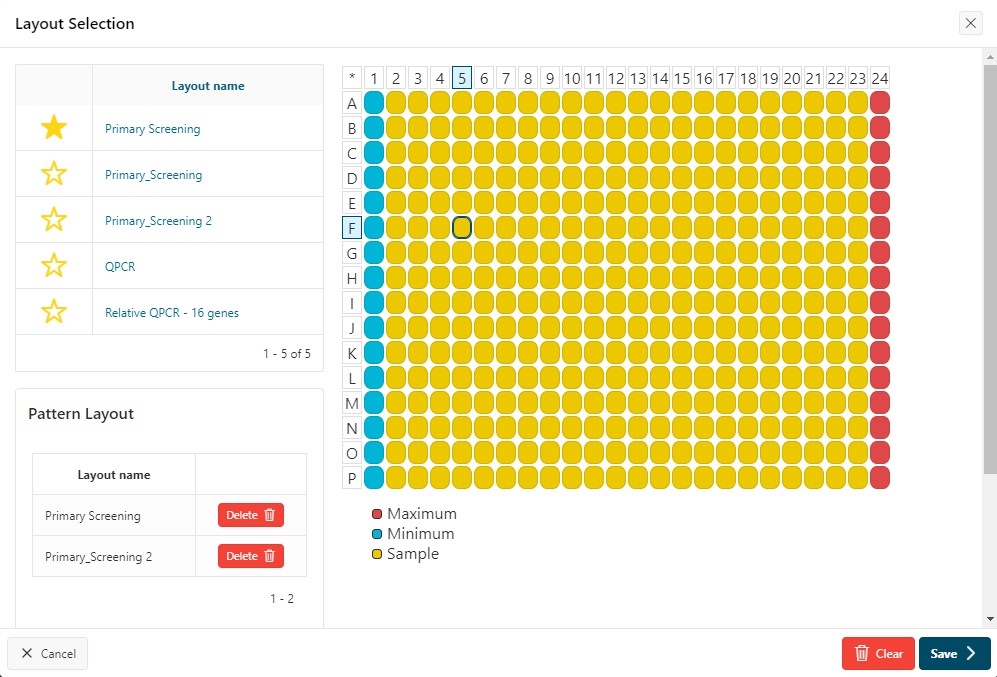
- Hover over a control layout name to preview it on the right
- Click the name to select it for all plates
- Click
Saveto apply it to all plates - You will be redirected to the
Plate Mappingpage
Info
All well types can be defined in the application, following the Plate Layouts documentation. They can then be used throughout the application, including in this step.
Use Patterns to Add Different Control Layouts
If you need to use multiple control layouts, you can use patterns:
- In the
Edit Control Layoutpage, select a control layout by clicking its name - Click the name of another control layout to add it
- All layouts will be added to the
Pattern Layoutlist - Click
Saveto apply the pattern to all plates
Info
The pattern is applied one plate after another. For example, with two control layouts (A and B) and four plates (1, 2, 3, 4), layout A is applied to plate 1, B to plate 2, A to plate 3, and so on.
Clear Layouts
To clear all layouts, click the Clear Layouts button. This will remove all applied layouts from your plates.
Danger
If you delete a control layout, it cannot be retrieved. If you delete part of a pattern from the main page, the pattern will be recalculated.
See and Update a Single Control Layout
Hover over a layout name to view the applied layout.
If changes are needed compared to the run template, you can update a control or dose layout for a plate. See the How To documentation here.
Rename Plates
On the plate mapping page, plate names are freely editable. You cannot:
- Use special characters in plate names
- Have duplicate plate names
From a File
To rename plates using a file, see the instructions in Rename Plates from a File.
Experimental Conditions
You can add Experimental Conditions to your run at this step by clicking the Edit Experimental Conditions button at the top left. See the Experimental Conditions documentation for details.
Next Step
Next
 Continue the design of the run by going to the next step: Well Validation