Sample Analysis
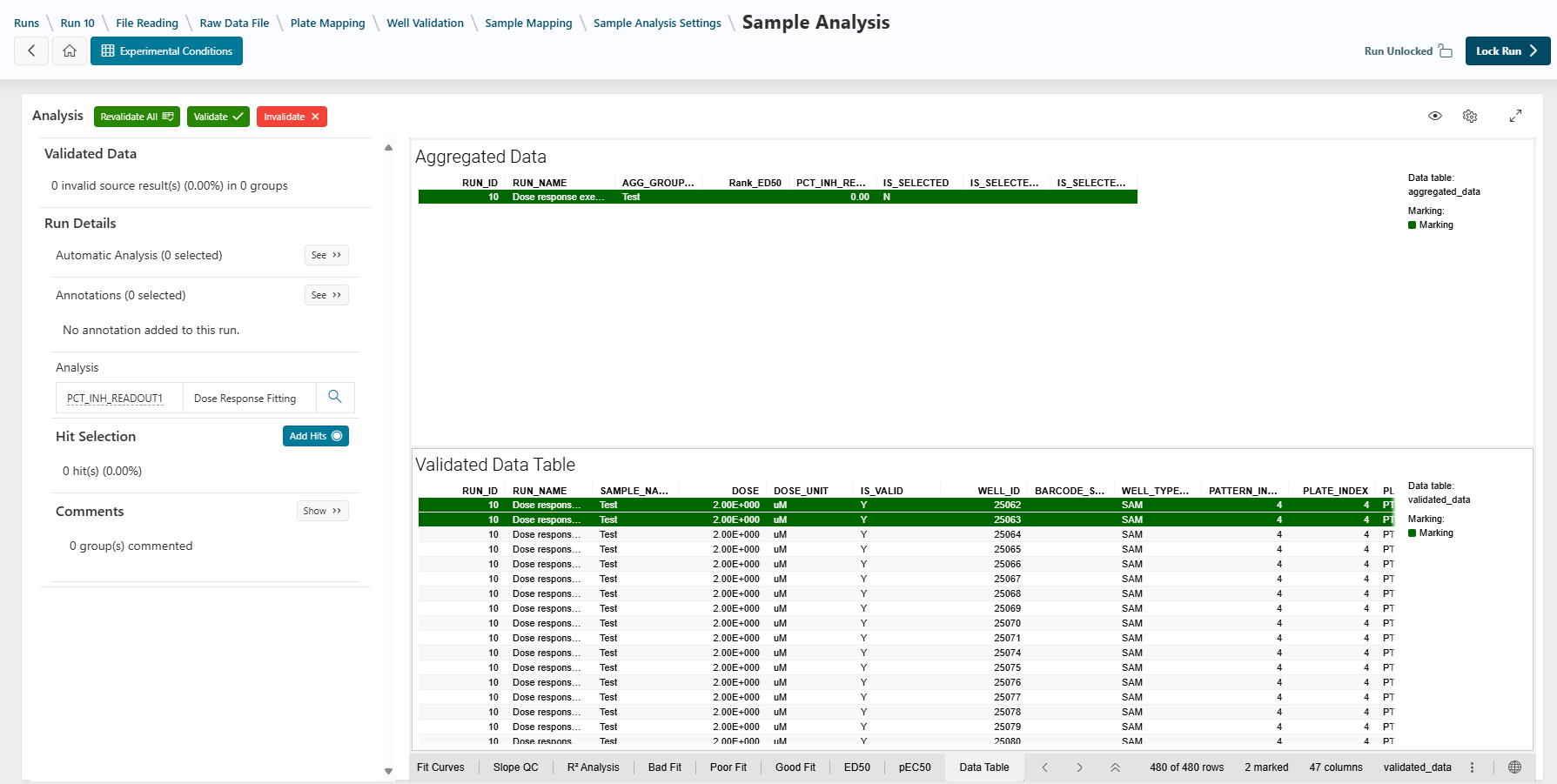
The Sample Analysis step is used to analyze samples, invalidate aberrant data, add annotations, and select hits.
From the Run Template
Before accessing the Sample Analysis page, some information is pre-calculated using the run template configuration:
- How the data is aggregated:
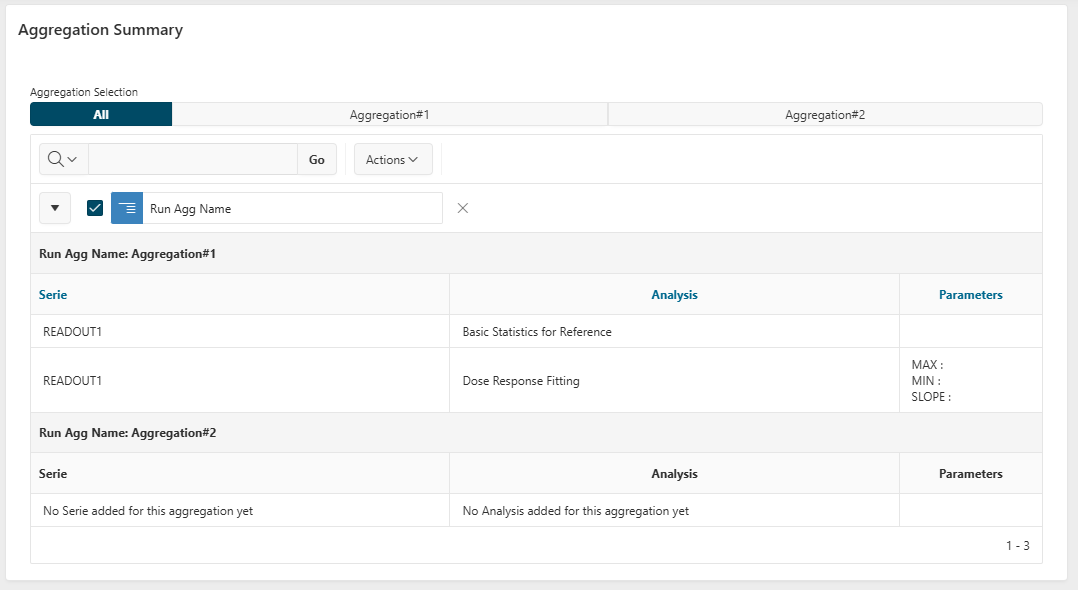
- Aggregations define how individual data points are grouped for analysis (e.g., grouping all data points for a given sample across tested doses to calculate an IC50).
- The automatic analysis:
- Some data may be automatically invalidated if the designer defined such rules.
- The annotation types:
- Annotation types may be added to wells or plates, allowing you to add extra values.
Sample Analysis
Validate or Invalidate a Data Point
When analyzing data, you can manually invalidate data points. Select the data and click the Invalidate button in the top bar. The analysis will be recalculated without the invalidated data (e.g., IC50).
For more information, see the How To: Validate or Invalidate Data guide.
Add Annotation Values and Comments
You can add, edit, or delete annotation values, or add comments to a group using the left panel. See How To: Add Annotation Values or Comments for instructions.
Update Analysis Parameters for an Aggregated Group
If needed, you can manually update the parameters used to calculate a data point for an aggregated group. See How To: Update Analysis Parameters for instructions.
Hit Selection
You can select potential candidates as hits using the left panel. This selection can be performed automatically (if defined by the designer) or manually. The list can be sent to the Sample application or downloaded.
For more information on manual hit selection and export, see How To: Select a Hit.
Sample Analysis Settings
The aggregations have been created by the designer in the Sample Analysis Settings page.
This page is automatically skipped in Execution Mode, but you can access it by using the breadcrumb bar.
Next Step
Next
 When the analysis part is finished, click the
 Lock Run button to lock your run. The data will no longer be updatable.
Depending on what has been chosen by the designer, the next step will be to Publish or Close Your Run. Only an Assay Publisher can publish or close a run.