Sample Mapping
The Sample Mapping step is a validation step that helps ensure all mandatory information is correctly filled in.
Report
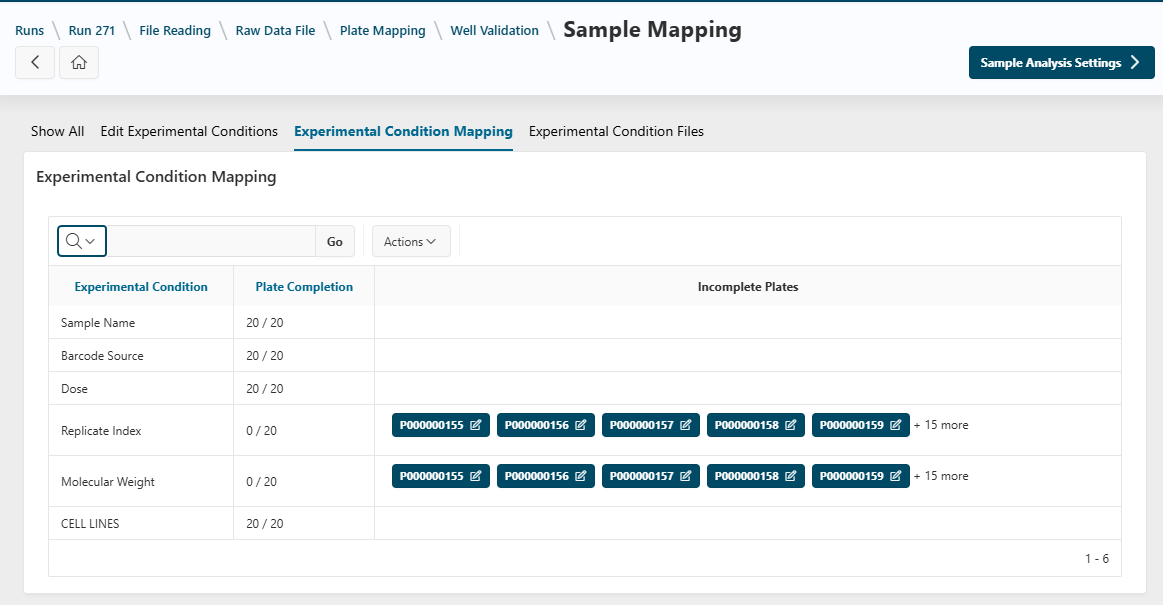
When you access the Sample Mapping page, a report displays plate completion regarding experimental conditions.
- If information is missing for an experimental condition, the plate names are displayed.
Update Experimental Conditions
- Click a plate name to go to the
Edit Experimental Conditionsection, with both the experimental conditions and the plate selected.
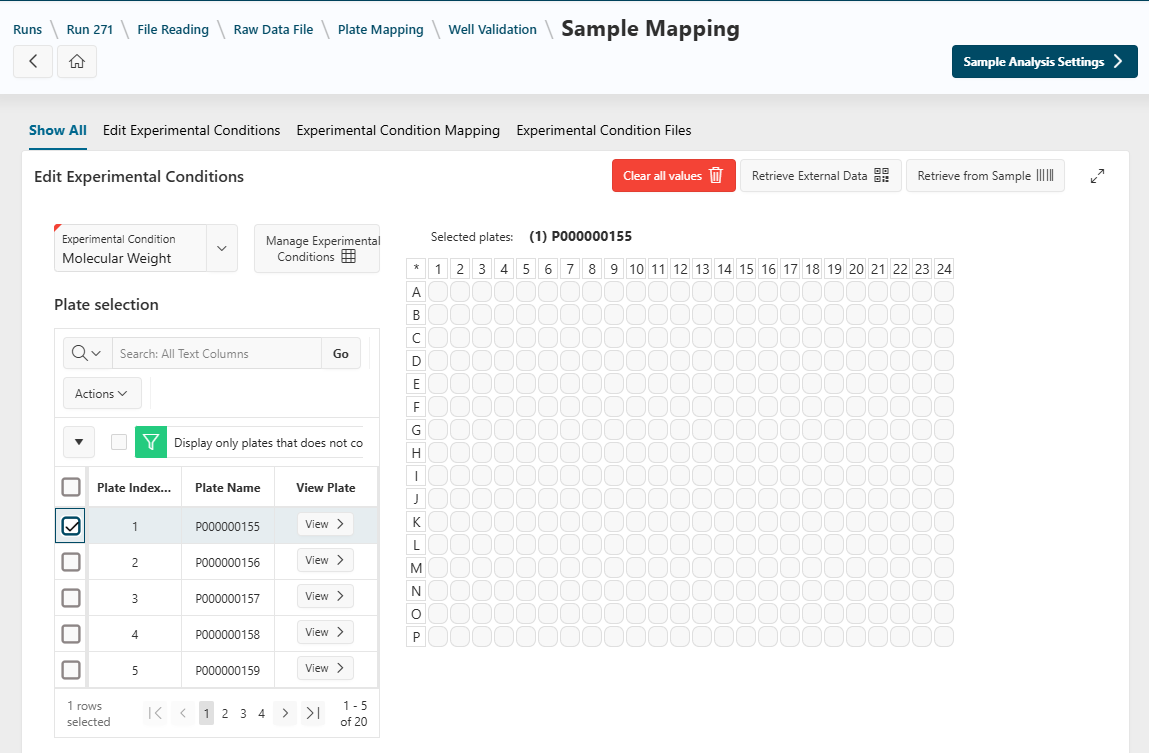
Here, you can update experimental conditions as described in the Experimental Conditions guide.
Click the Experimental Conditions Mapping button at the top to return to the table view and check completion for all plates.
Next Step
Next
 Continue the run design by proceeding to the next step: Sample Analysis step.
When validating the step, a warning message may appear if experimental conditions are incomplete.
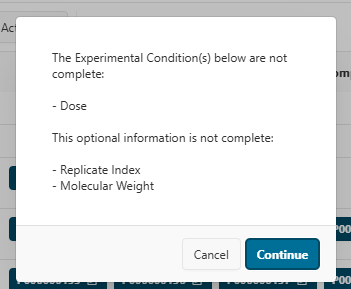
- Click
Cancelto return to the current step and fill in missing information. - Click
Continueto validate the step anyway.
Warning
If you validate the step with mandatory information missing, data may not be processed correctly in subsequent steps. In that case, return to the current step, revert the run, and fill in the missing information.