Application Navigation
Left Navigation Panel
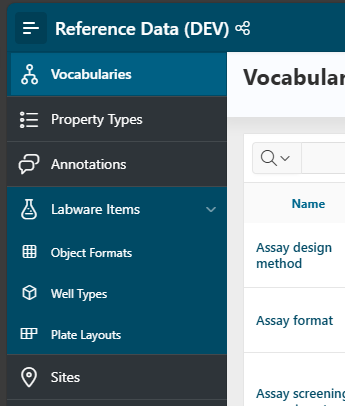
For ease of use, Reference Data features are organized into navigation tabs, always available on the left throughout the application.
Vocabularies
Manage controlled vocabularies: create, edit, or delete them as needed.
Clicking the Home button returns you to this home page.
Property Types
Define the types of properties that can be assigned to vocabulary items.
Labware Items
Info
This section is only visible to users with the Reference Data Administrator role.
Manage labware items: object formats, well types, and plate layouts.
Sites
Manage sites, which are locations where you work or store materials.
Top Bar
The top bar, where the application name is displayed, behaves the same in every application. See the Homepage and Navigation guide for more details.