Batches
This category allows you to manage three key areas: batches, batch types, and solid batch cutoff quantities.
Batches
From here, you can view the list of batches in your inventory along with all related information.
You can edit the details of each batch or invalidate a batch by clicking the Edit button. You can also create new batches by clicking the Create button.
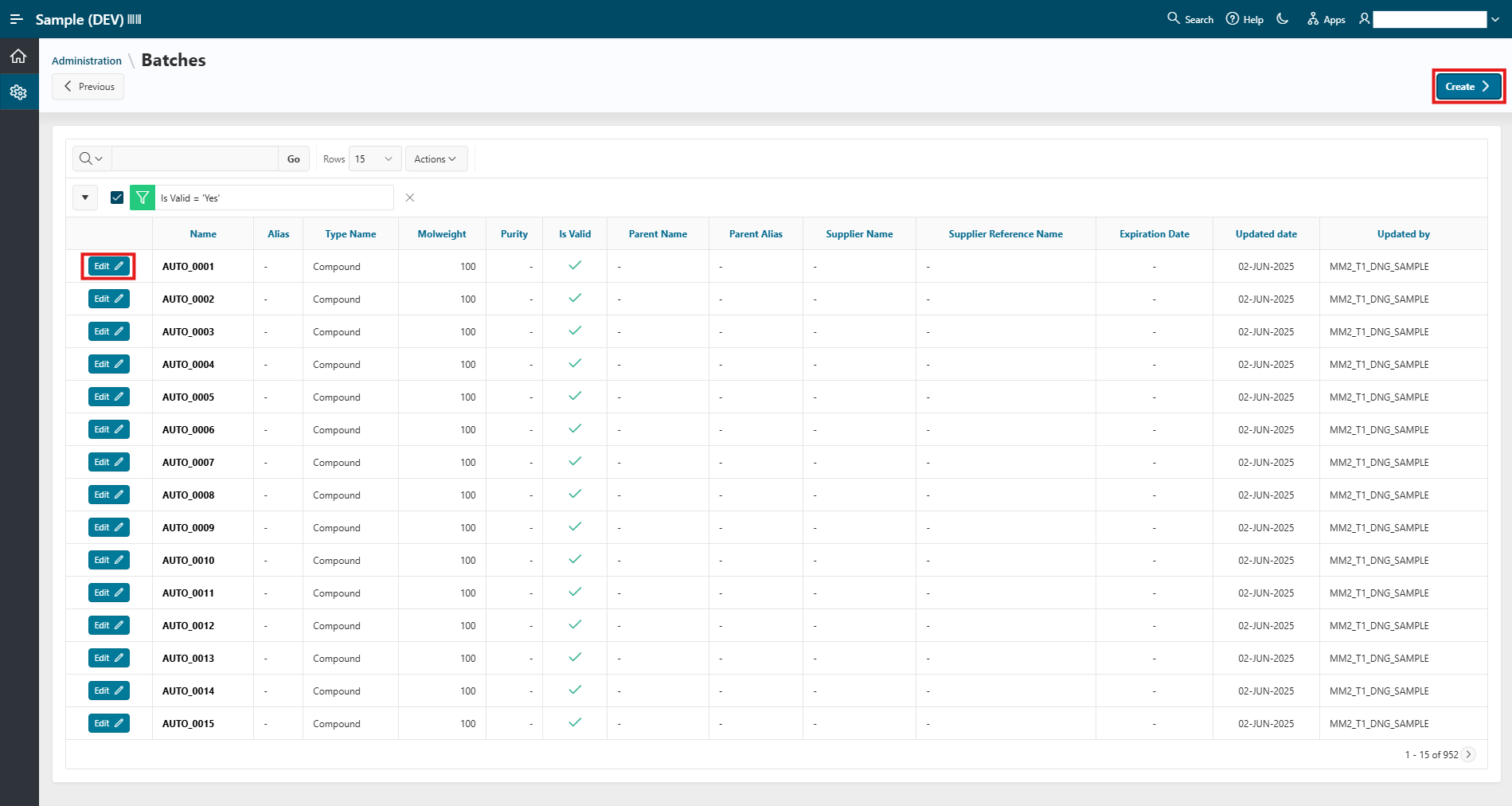
From there, you can either:
- Add a single batch by filling out the form
- Upload one or more batches using a file containing all mandatory information (
Batch NameandBatch Type)
Batch Types
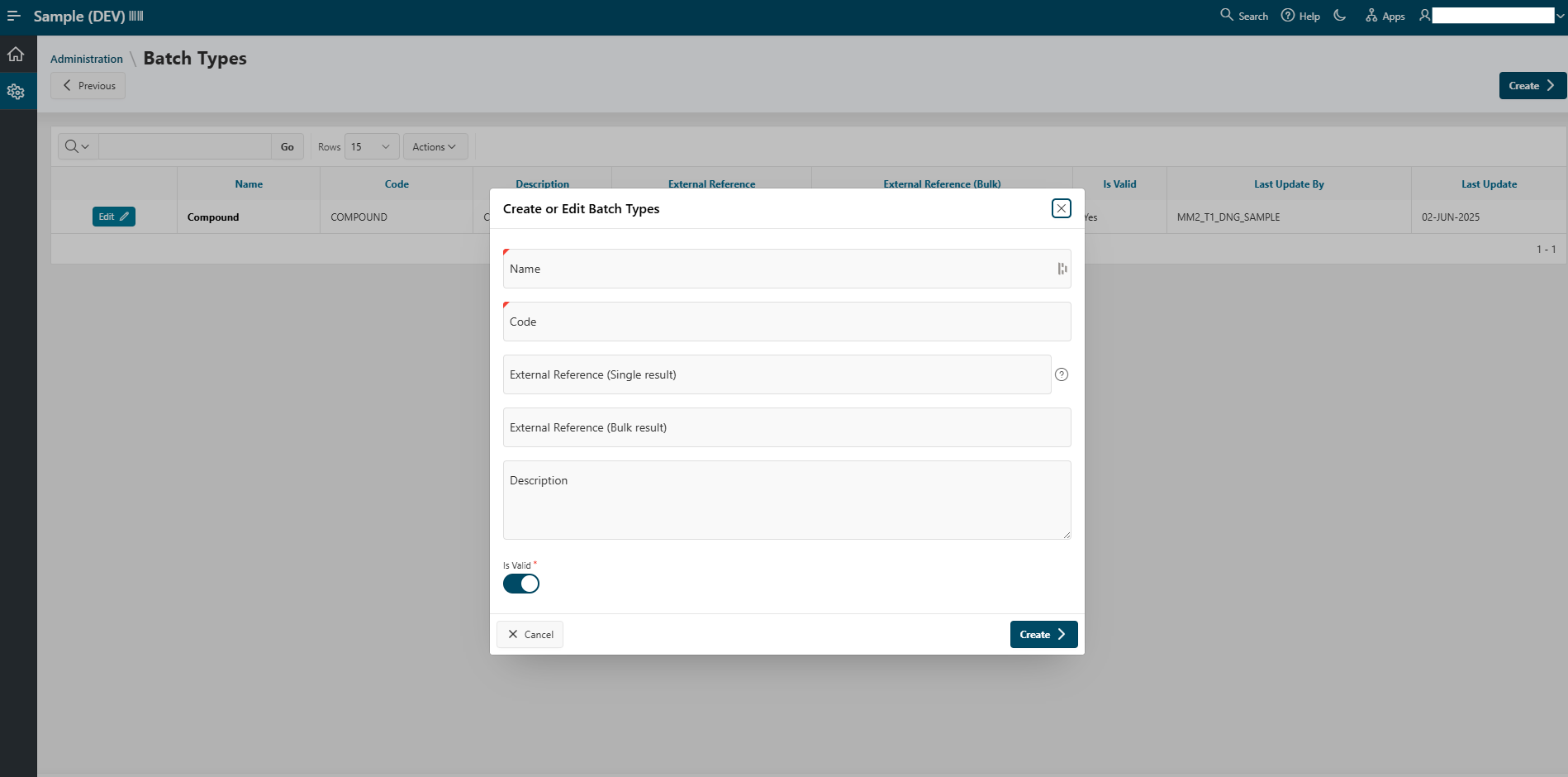
From here, you can manage the batch types (e.g., Compound, siRNA, etc.) used in the application.
You can edit an existing batch type or create a new one using the Edit and Create buttons. To create a new batch type, simply fill out the provided form as shown in the image below:
Solid Batches Cutoff Quantities
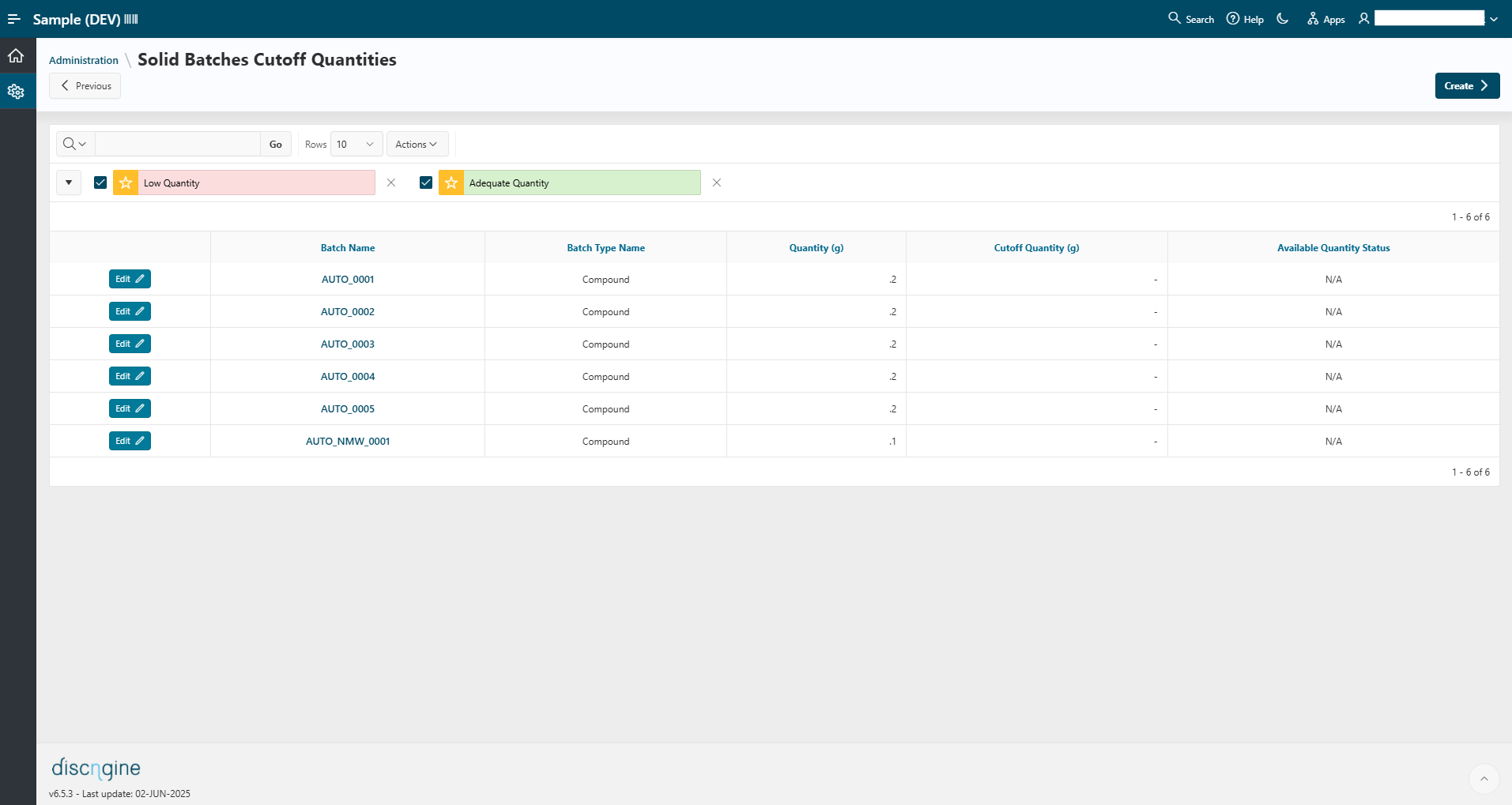
This section manages cutoff quantities for solid batches. It allows you to track solid batch quantities in the system and define a low quantity threshold. A warning is triggered when the quantity falls below this threshold. You can add solid batches to this list by clicking the Create button and filling out the form. Existing entries can be edited using the Edit button.