File Reading
In this step, you will upload the files you want to analyze in Assay. These files typically contain results linked to your plates, such as output from a robotic platform (e.g., optical density, area measurements, cell counts, etc.).
Info
Data can also be added automatically using APIs. Please request the API documentation if needed.
Add Your Readers
Since files may have different formats, you must add a reader—a tool that imports data into the application from a specific format.
Use the drop-down list on the left of the page to search for and add the appropriate reader for your files.
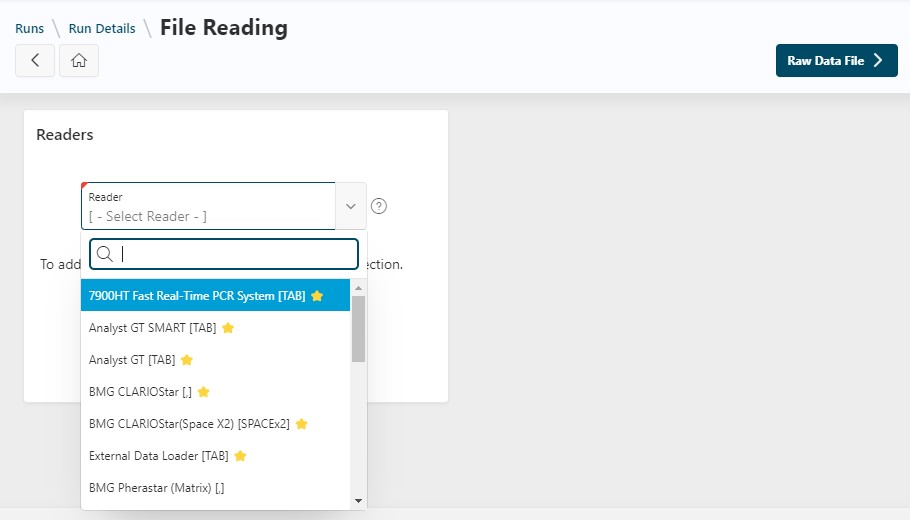
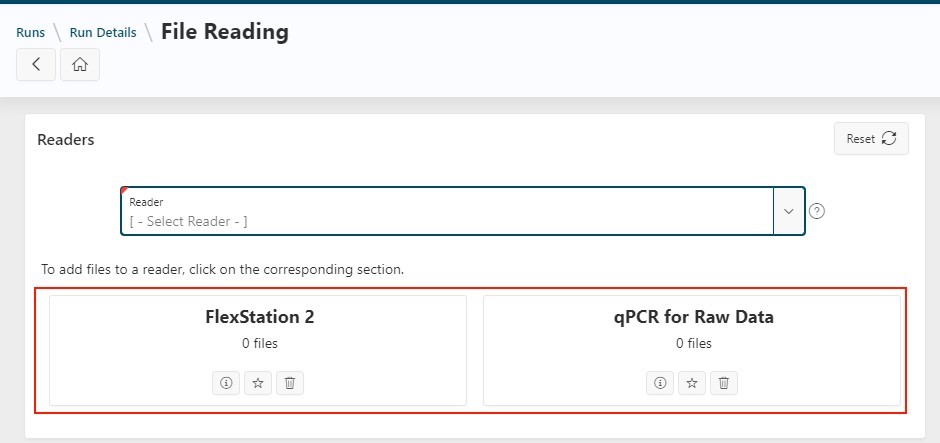
The list of added readers will then be displayed.
Info
You can add multiple readers for an analysis. If a compatible reader is not available, please contact support.
For each reader, you can:
- Click the information icon (ℹ️) to view the description and see a sample of the expected file format
- Click the star icon (⭐) to set the reader as a favorite (favorites appear at the top of the dropdown list)
- Click the trash icon (🗑️) to remove the reader from your analysis
Danger
Removing a reader from your analysis will also delete any imported files associated with it.
File Import
You must upload files so the application knows which data to analyze. To do this:
- Click the reader name
- Upload one or more files at once by:
- Dragging and dropping your files
- Clicking the
Drag and Drop Filessection
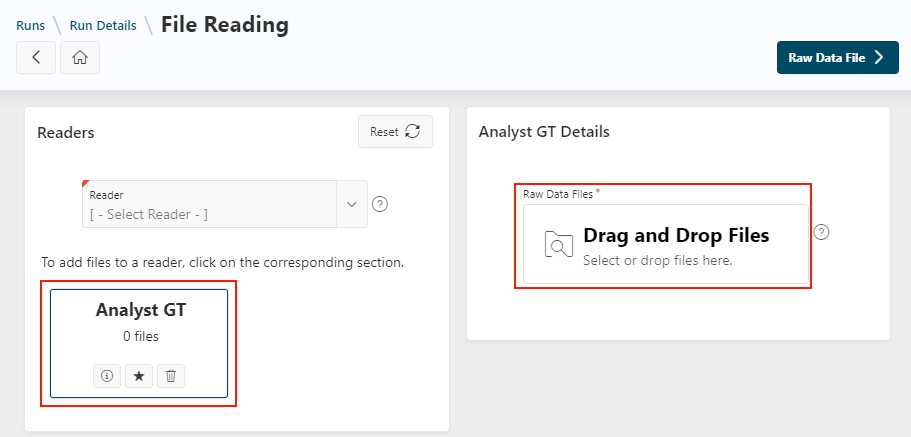
Once imported, the number of files is displayed below the reader names you selected.
Info
You can upload multiple files at once, but they must have the same format.
By clicking the Raw Data File button, the files will be read by the application.
Other Actions on the Page
Before reading the files, you can:
- Delete one or more files linked to your readers
- Download all files (using the button at the top right)
- Perform the actions on the reader described above
Interactive Readers
For some file formats, extra steps may be required to read the files correctly. In these cases, you will use "Interactive Readers".
When this is needed, the Raw Data File button is replaced by an Interactive Reader button.
Generic Reader
A common example of an interactive reader is the Generic Reader, which allows you to read any delimited text file (txt, csv, xlsx, etc.).
See the Generic Reader documentation for more details.
Next Step
Next
 Continue the design of the run by going to the next step: Raw Data File