Run Details
In this section, you will create a new run using a predefined template. A template is a set of readers and parameters used for analysis.
Create a New Run
To create a new run from the Assay home page, click the New Run button at the top right.
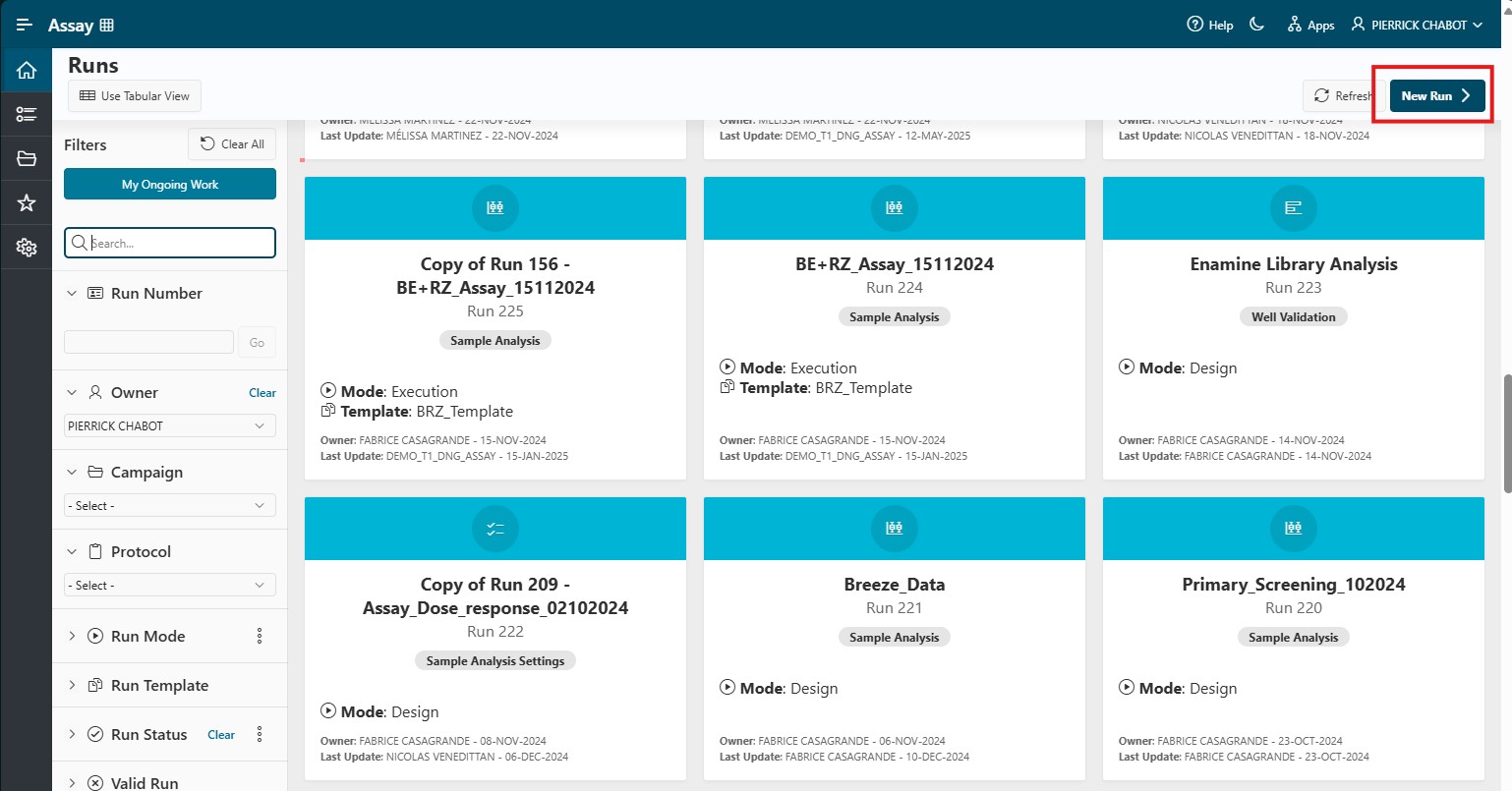
A modal appears, allowing you to create your run.
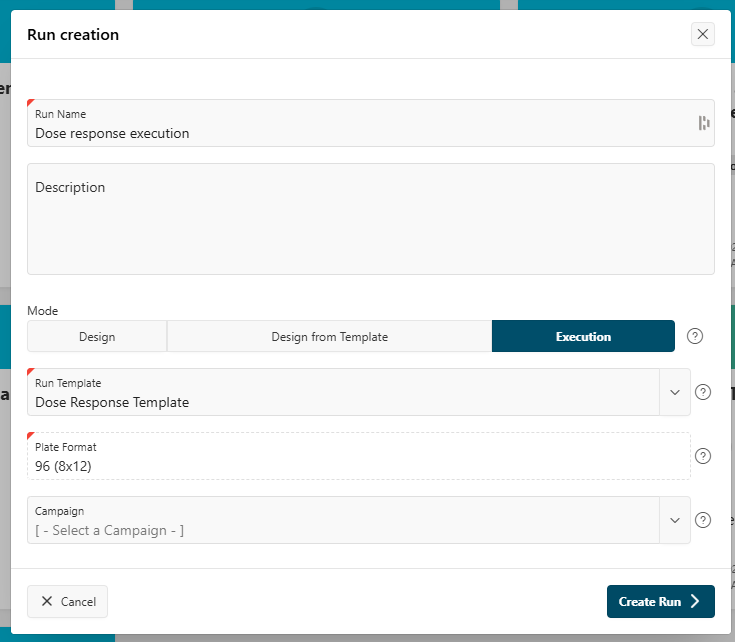
On this page, enter or select the following information:
- Run name: The name of your analysis.
- Description: A description of your analysis (optional).
- Mode:
Execution Mode - Run template: The template you want to use, created by an assay designer. The plate format will be filled in automatically.
- Campaign (optional): Attach your run to a campaign if desired.
Click the Create button to create your run. You will be redirected to the Run Details page.
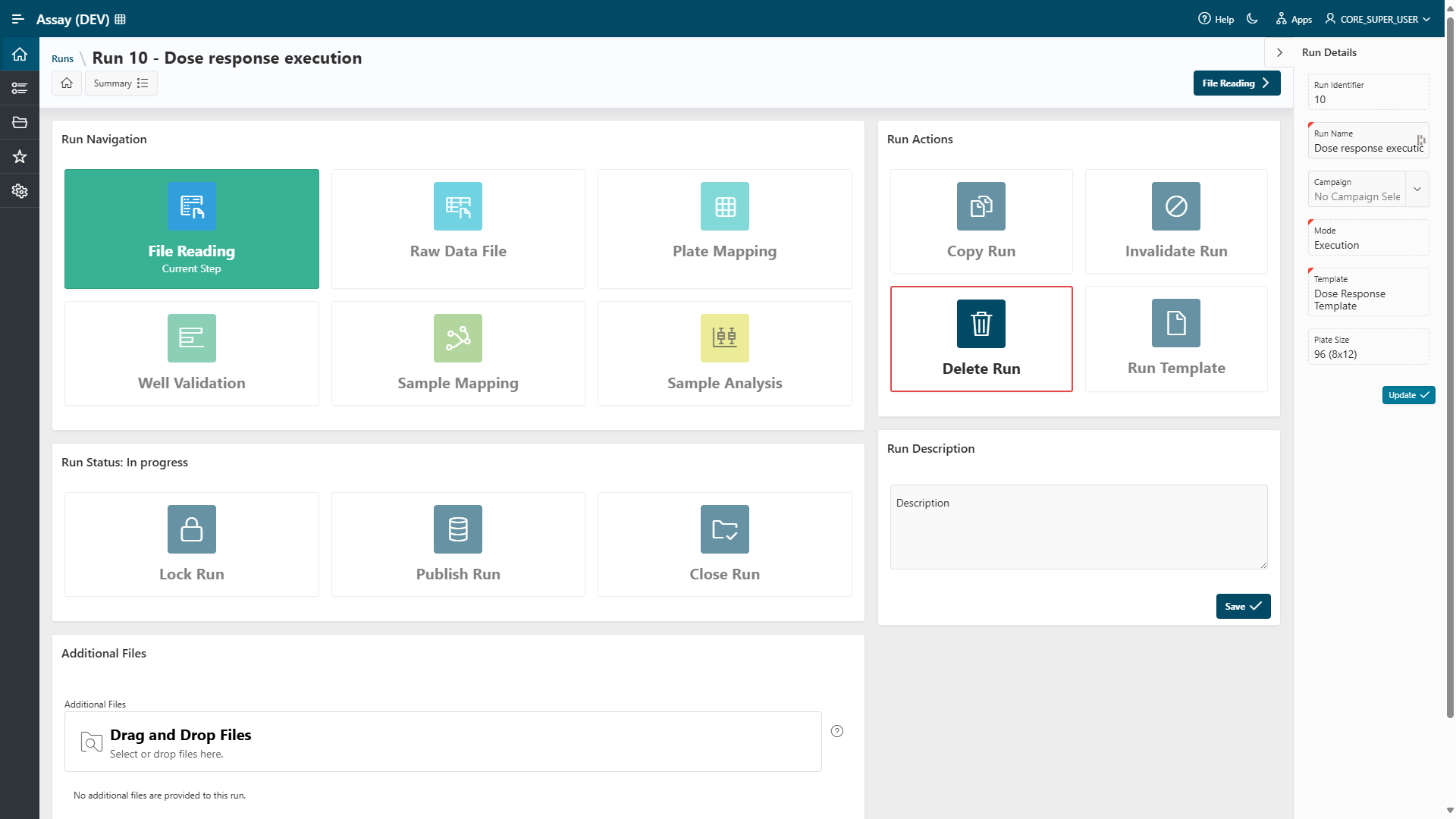
Run Details
As explained in the Run Modes documentation, the Run Details page is the central page of your run.
On this page, you can update run information and navigate within your run. You can also attach relevant documents in the Additional Files section at the bottom.
Info
As long as the run is not locked, all of this information can be updated.
Click the File Reading button to start your analysis by adding raw data to the application.
Next Step
Next
 Continue the run design by proceeding to the next step: File Reading step.